Overview
Since 2019, Isla has partnered with 40+ NHS trusts to deliver proven digital pathways that fit seamlessly into existing clinical workflows and processes. Designed for real-world practice, Isla’s digital pathway platform helps Trusts unlock capacity, streamline patient flow, and reduce pressure on clinical teams through safe and scalable digitisation.
Submission instructions
To submit the information requested by your healthcare provider, follow these steps:
- Receive Your Link: You will receive a text or email containing a unique link. Opening this link will provide further information and ask if you are happy to proceed.
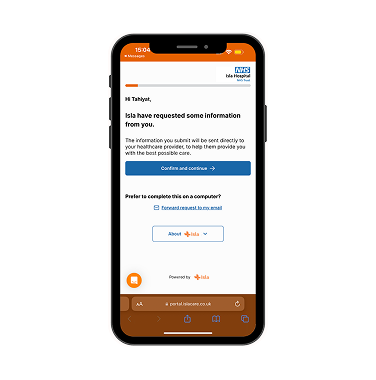
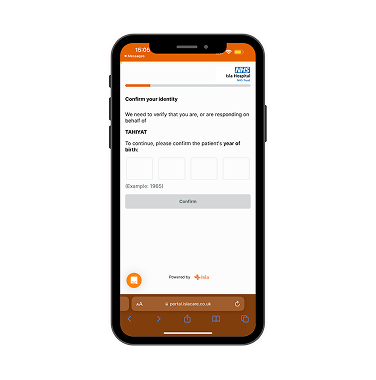
2. Verify Identity: You must confirm the patient’s identity by typing in their year of birth and pressing confirm.
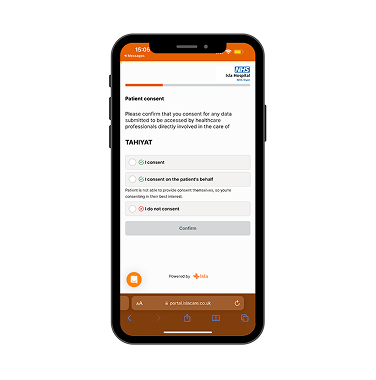
3. Confirm Consent: If you choose to proceed, your data will be encrypted and stored in compliance with your NHS Trust’s information governance rules.
4. Review Request: You will see exactly what the clinical team has requested you to upload and how long you have to complete the submission (e.g., 7 days).
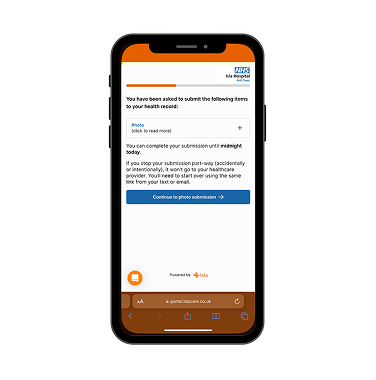
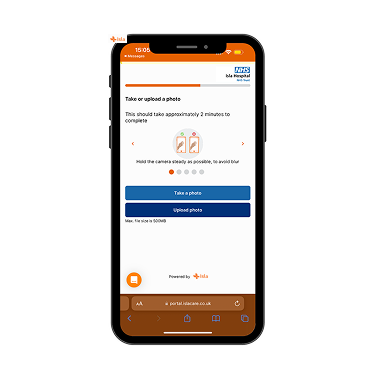
5. Take or Upload Media: You will be provided with guidelines for submitting a photo. Click the “take or upload photo” button to capture or select a photo or video.
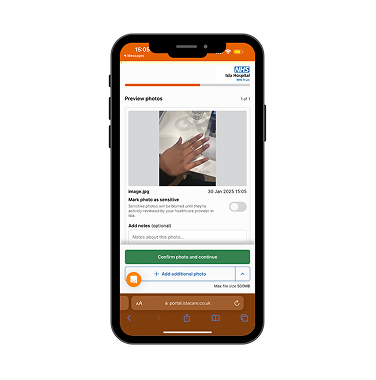
6. Add Details: Once the photo or video is taken, you have the option to add a note or mark the photo as “sensitive”. You can then confirm the submission or choose to add additional media.
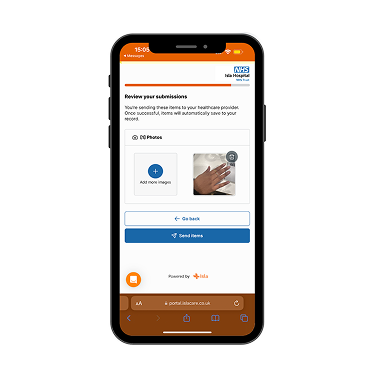
7. Review Submissions: You can review all items before officially sending them to your healthcare provider.
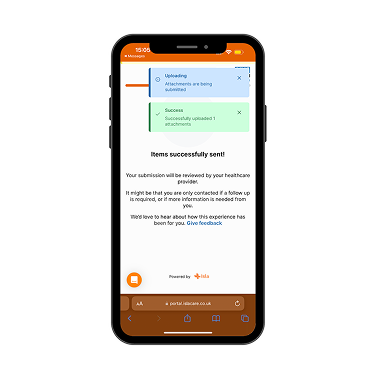
8. Confirmation: Once sent, you will receive a message stating “Items successfully sent”.